
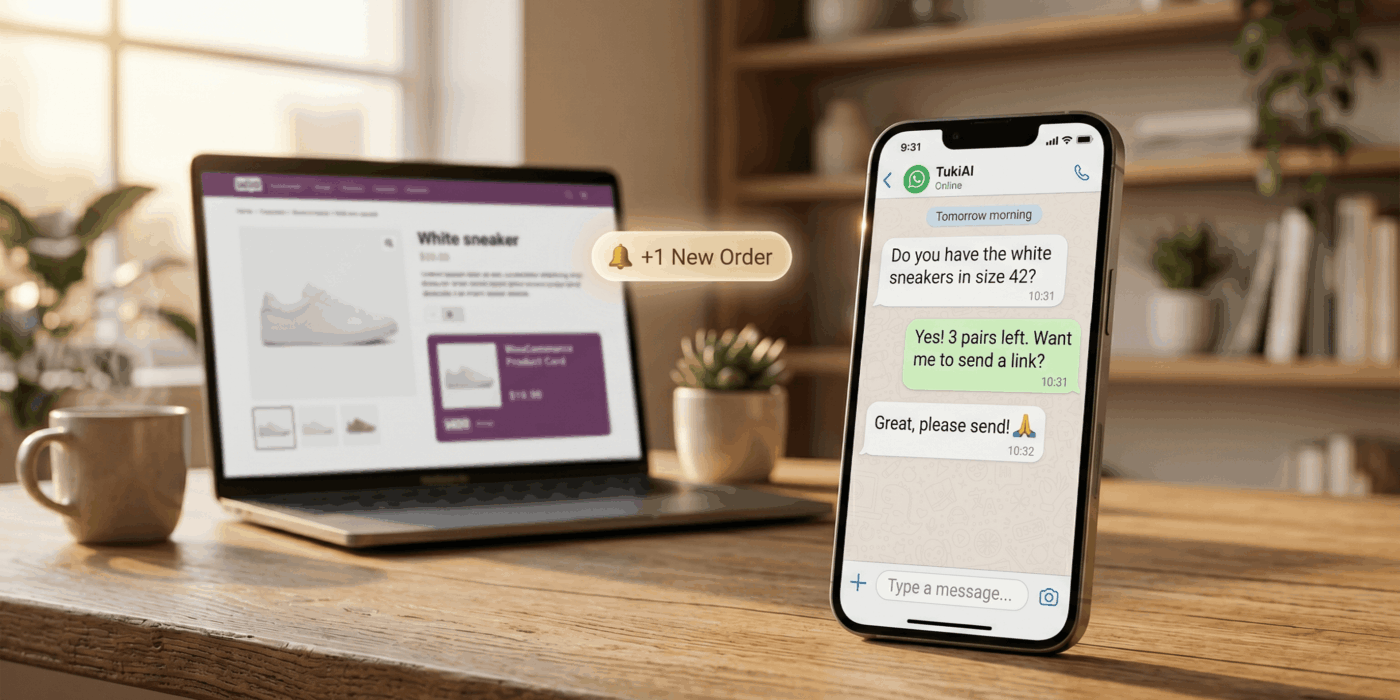
AI Sales and Service Agent for WooCommerce Stores
Turn customer conversations into sales opportunities — without hiring another agent
TukiAI is an AI sales and service agent built for WooCommerce stores.
It connects to your catalog, helps customers choose the right products, answers questions in real time,
supports post-purchase requests, and shows you which conversations turn into orders.
This is not a basic chatbot that returns scripted answers.
TukiAI is designed to work like a sales and service agent:
understand customer needs, recommend the right products, reduce repetitive work,
and help shoppers move toward purchase.
Start a Free Pilot
See How It Works
- 3-month free pilot
- No credit card
- Built for WooCommerce
- AI sales and service agent
- Weekly reports
Why WooCommerce stores lose sales
For many stores, traffic is not the only problem. The real problem is what happens after a visitor lands on the site:
the customer hesitates, cannot find the right product, does not understand the difference between options,
asks a question, waits too long for an answer — and leaves.
Customers do not always know what they need
A shopper may ask, “Which product is best for me?”, “What is the difference between these models?”,
or “What should I buy as a gift?”.
Regular site search returns results. A good sales agent helps the customer choose.
Repeated questions drain the store owner
Shipping, stock, sizes, compatibility, returns, order status, delivery notes, and product differences —
each question looks small, but together they create a daily support workload.
Customers shop when your team is not available
Customers send questions in the evening, on weekends, and outside business hours.
If they do not get a fast answer, some of them simply move to another store.
The solution: an AI agent that understands your store
TukiAI connects to your WooCommerce store, learns your catalog, and helps customers throughout the buying
and service journey. It is not designed only to answer general questions.
It is built to understand the store context: products, categories, variations, stock, prices,
policies, customer questions, and buying intent.
The goal is simple: give every customer the feeling that someone is actually helping them —
even when a human representative is not available.
What TukiAI does
1. Recommends products based on real customer needs
Instead of showing a random list of products, TukiAI can ask questions, understand budget,
use case, preferences, and hesitation — then suggest products that better match the customer’s need.
For example, a customer looking for a gift, a product for a child, a business tool,
or an alternative to an out-of-stock item can receive guidance instead of browsing alone.
2. Answers customers 24/7
TukiAI can answer repeated questions outside business hours:
shipping, returns, availability, compatibility, specifications, product differences,
and general store information.
This gives customers faster answers and reduces manual work for the store owner or support team.
3. Supports customers after purchase
In a real store, the work does not end after checkout.
Customers may want to add an order note, ask about shipping, update details,
or understand what is happening with their order.
When allowed by store rules, order status, and permissions, TukiAI can assist with post-purchase
service requests or pass them to a human when needed.
4. Connects to your WooCommerce catalog
TukiAI is built around WooCommerce. It can work with store information such as products,
categories, variations, stock, prices, and relevant content.
The clearer and more organized your catalog is, the better the agent can answer and recommend.
5. Gives you reports and visibility
An AI agent should not be a black box. TukiAI is designed to show the store owner what happened:
which conversations took place, which questions repeated, and which orders came through the agent.
This helps you understand not only whether conversations happened — but whether they created business value.
6. Keeps the store owner in control
When a human touch is needed, the store owner or team can review conversations and step in when appropriate.
The goal is not to remove humans from the process, but to reduce repetitive work and give the team better control.
How it works
Step 1: Connect your store
Start with the pilot, install the plugin, and connect your WooCommerce store to TukiAI.
You do not need to build a chat system from scratch or start a complex technical project.
Step 2: The agent learns your catalog
TukiAI learns products, descriptions, categories, variations, prices, stock,
and relevant service content. The clearer your store data is, the better the conversation experience becomes.
Step 3: Start real customer conversations
The agent starts answering customers, recommending products, assisting sales,
reducing service workload, and helping you understand what customers actually ask.
Examples of conversations TukiAI can help with
A customer comparing products
“What is the difference between these two models?” —
the agent can explain the differences, who each product is best for,
and what the customer should choose based on their need.
A customer shopping by use case
“I need something for a small business” or “I’m looking for a gift under $100” —
the agent can ask follow-up questions and suggest relevant options.
A customer after purchase
“Can I add a delivery note?” or “Can I update my shipping address?” —
the agent can assist when the request is allowed by store rules and order status.
A customer asking about store policy
Questions about shipping, returns, warranty, delivery times, or support —
the agent can answer based on the information available on the website and store.
How TukiAI is different from a regular chatbot
| Capability | Regular chatbot | TukiAI |
|---|---|---|
| Answers basic questions | Yes | Yes |
| Understands WooCommerce catalog data | Usually limited | Built around WooCommerce |
| Recommends products by customer need | Often basic | Core part of the conversation |
| Supports post-purchase requests | Usually limited | Designed for sales and service |
| Provides reports on chats and sales | Not always | Weekly reports included in plans |
| Results-based pricing option | Usually no | Available with Pay as you Sell |
Transparent pricing: start without risk
According to TukiAI’s pricing page, you can start with a 3-month free pilot,
with no credit card and no commitment. After the pilot, you choose the plan that fits your store.
Free Pilot
3 months free
Best for store owners who want to test TukiAI on a real WooCommerce store before choosing a paid plan.
- No credit card
- No commitment
- Full version during the pilot
Pay as you Sell
$0.50 per sale + $0.10 per service chat
Best for stores that want to pay based on results, without a fixed monthly cost.
- Pay only when the agent creates a sale or service chat
- Useful for low to medium sales volume
- A practical way to test real ROI
Growth
$29 per month
Best for stores that want a fixed and predictable monthly cost.
- Unlimited sales and chats
- Fixed monthly pricing
- Useful for higher-volume stores
Prices may be shown before taxes, depending on your region and payment provider.
Please check the official pricing page before choosing a plan.
How do you measure whether it works?
Instead of relying on a vague feeling that “the bot helps”, store owners should measure real business outcomes.
TukiAI is designed to help you understand:
- How many customer conversations took place.
- Which questions repeat most often.
- Which products customers ask about.
- Which conversations contributed to orders.
- How much service workload was reduced.
- Whether customers receive answers outside business hours.
If you have real sales data, this is the right place to show a screenshot from the TukiAI dashboard
with personal details blurred. Real proof is stronger than generic marketing claims.
[Image placeholder: TukiAI sales report / conversation dashboard screenshot]
Who is TukiAI best for?
TukiAI is especially relevant for small and medium-sized WooCommerce stores that want to sell more
from existing traffic, respond faster to customers, and reduce repetitive questions without expanding the team.
- Stores with many pre-purchase questions.
- Stores with broad catalogs or products that need explanation.
- Stores receiving customer messages outside business hours.
- Stores that want smarter product recommendations.
- Stores that want to handle post-purchase requests more efficiently.
- Store owners who feel they keep repeating the same answers again and again.
Who is it not for?
TukiAI may be less suitable if you do not use WooCommerce, if your catalog is not organized at all,
if you need a large enterprise helpdesk with many agents and complex workflows,
or if most of your sales happen only through social media without an active website.
TukiAI is built first for WooCommerce store owners who want to start quickly,
test real value, and connect an AI agent to the sales and service journey on their website.
Frequently Asked Questions
Is TukiAI a chatbot?
TukiAI includes chat capabilities, but its purpose is broader.
It is an AI sales and service agent connected to WooCommerce, designed to help customers choose,
buy, and receive service.
Do I need technical knowledge to start?
In most cases, no. You start by installing the plugin and connecting your WooCommerce store.
Highly customized stores may require additional technical review.
Does TukiAI know what is in stock?
When stock and pricing information are available and synchronized through WooCommerce,
the agent can use that data. It is important to keep store information updated.
What happens if the agent does not know the answer?
When there is not enough information or human judgment is required,
the right behavior is to ask for more details or pass the conversation to a human,
instead of inventing an answer.
Can I start for free?
Yes. According to TukiAI’s pricing page, you can start with a 3-month free pilot,
with no credit card and no commitment.
How does Pay as you Sell work?
Under Pay as you Sell, you pay based on results: $0.50 per sale and $0.10 per service chat,
according to the current pricing terms.
Is TukiAI useful for a small store?
Yes, especially if your store receives repeated questions, customer hesitation,
or messages outside business hours. The free pilot is designed to test value on your real store.
Are you tired of answering the same customer questions again and again?
Let TukiAI learn your WooCommerce store, answer customers, recommend products,
support post-purchase requests, and show you which conversations turn into orders.
3 months free · No credit card · No commitment · Built for WooCommerce stores